> For the complete documentation index, see [llms.txt](https://docs.singlefinance.io/home/llms.txt). Markdown versions of documentation pages are available by appending `.md` to page URLs; this page is available as [Markdown](https://docs.singlefinance.io/home/yield-farming/step-by-step-guide/open-a-leveraged-yield-farming-position.md).
# Open a Leveraged Yield Farming Position
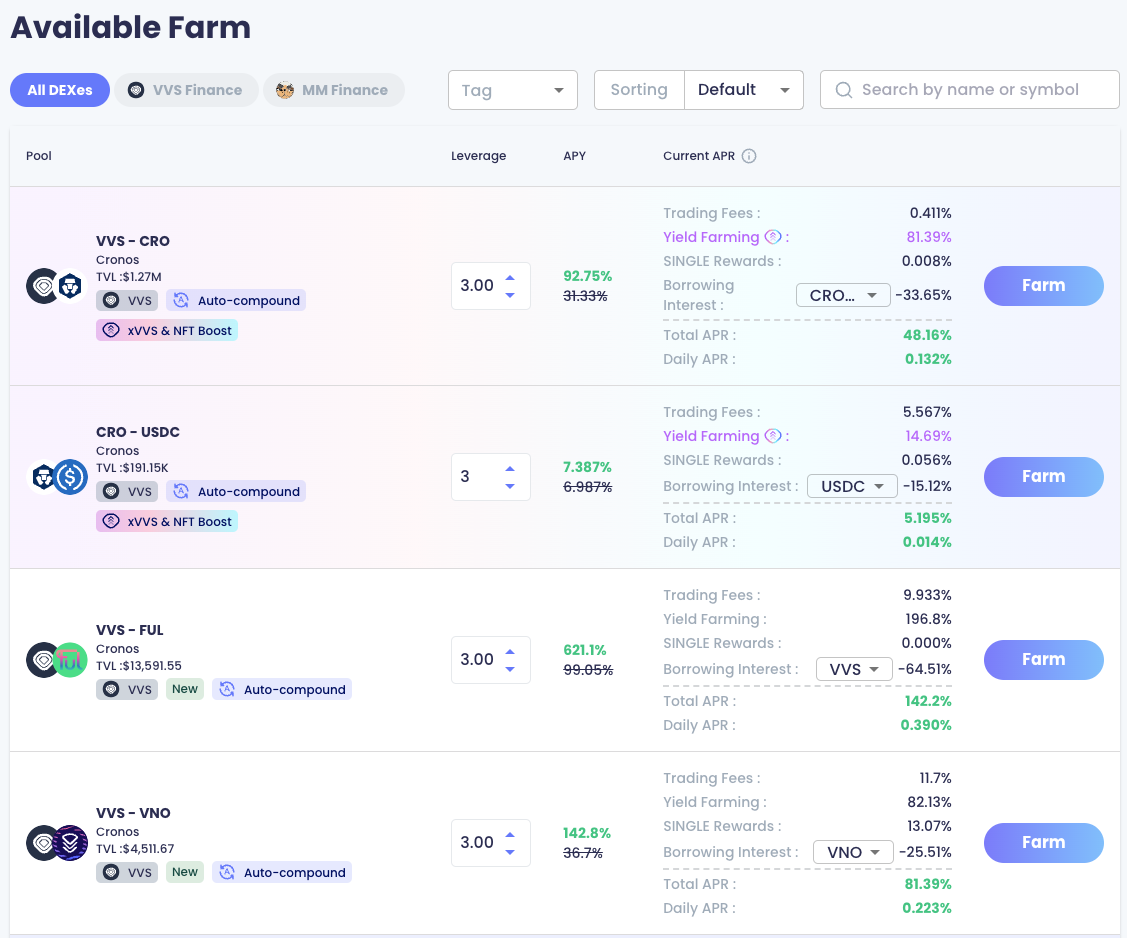
1. Choose your favorite farm from available farm list
2\. Select your leverage level and borrowable asset to simulate the performance. Then click "Farm"

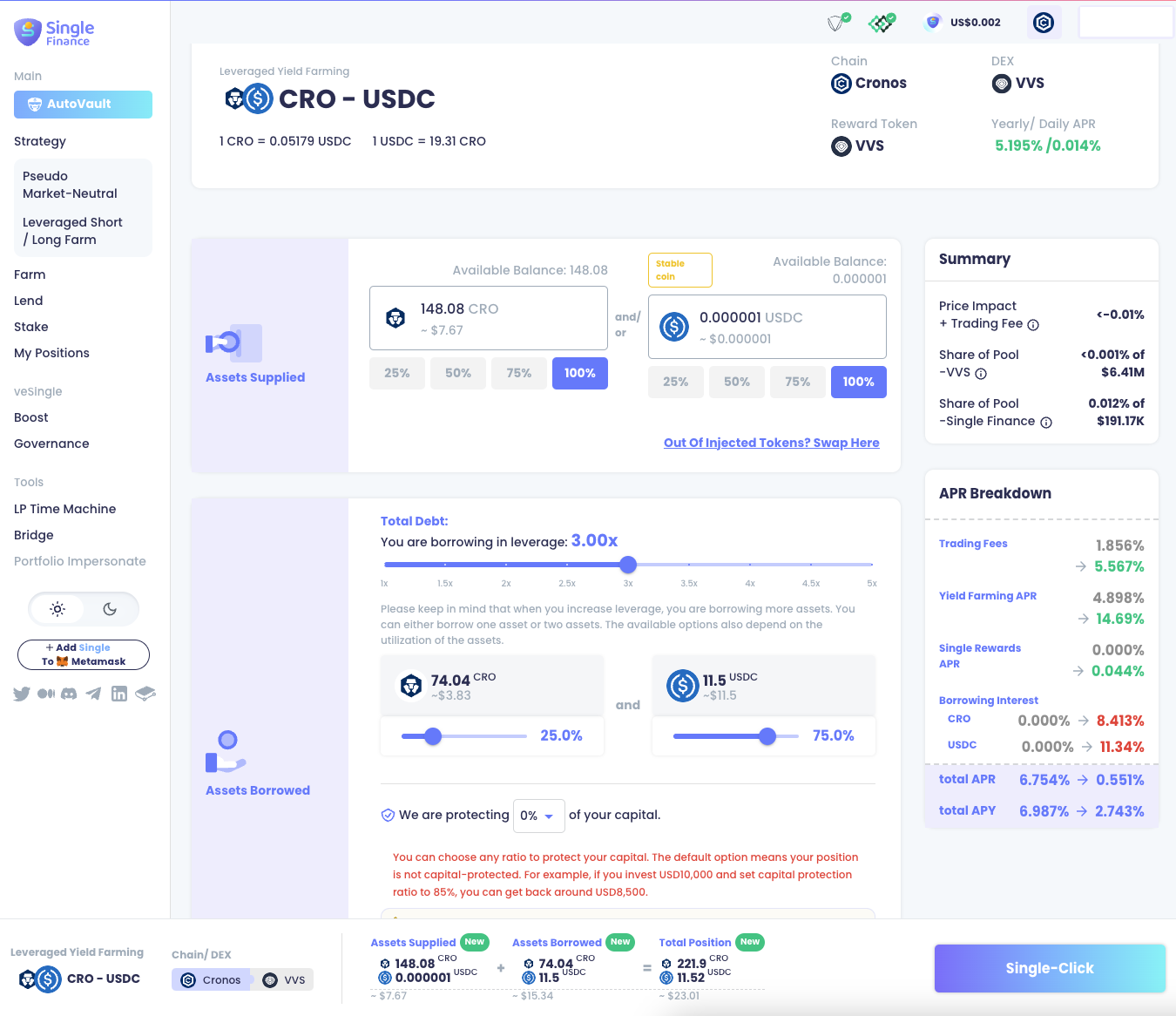
3\. Supply either one of the assets or both assets, then it will trigger the calculation of the borrowed assets
4\. You may adjust the leverage and ratio of borrowable assets (if there are two available borrowable assets)
5\. You can also set your favorite capital protection ratio from 0% - 90% (i.e. 0% means no capital protection mechanism is set).
6\. After configuration, you can click "Single-Click" button. Please note you may have to approve the amount in the wallet for the first time before opening the farming position.